

Diagrams, drawn inside your equations
Draw lines, arrows, circles, curves and labels with the mouse, and keep them as LaTeX’s picture environment — so a labelled triangle, a vector or a pair of axes sits in an equation like any other piece of maths, and stays editable.
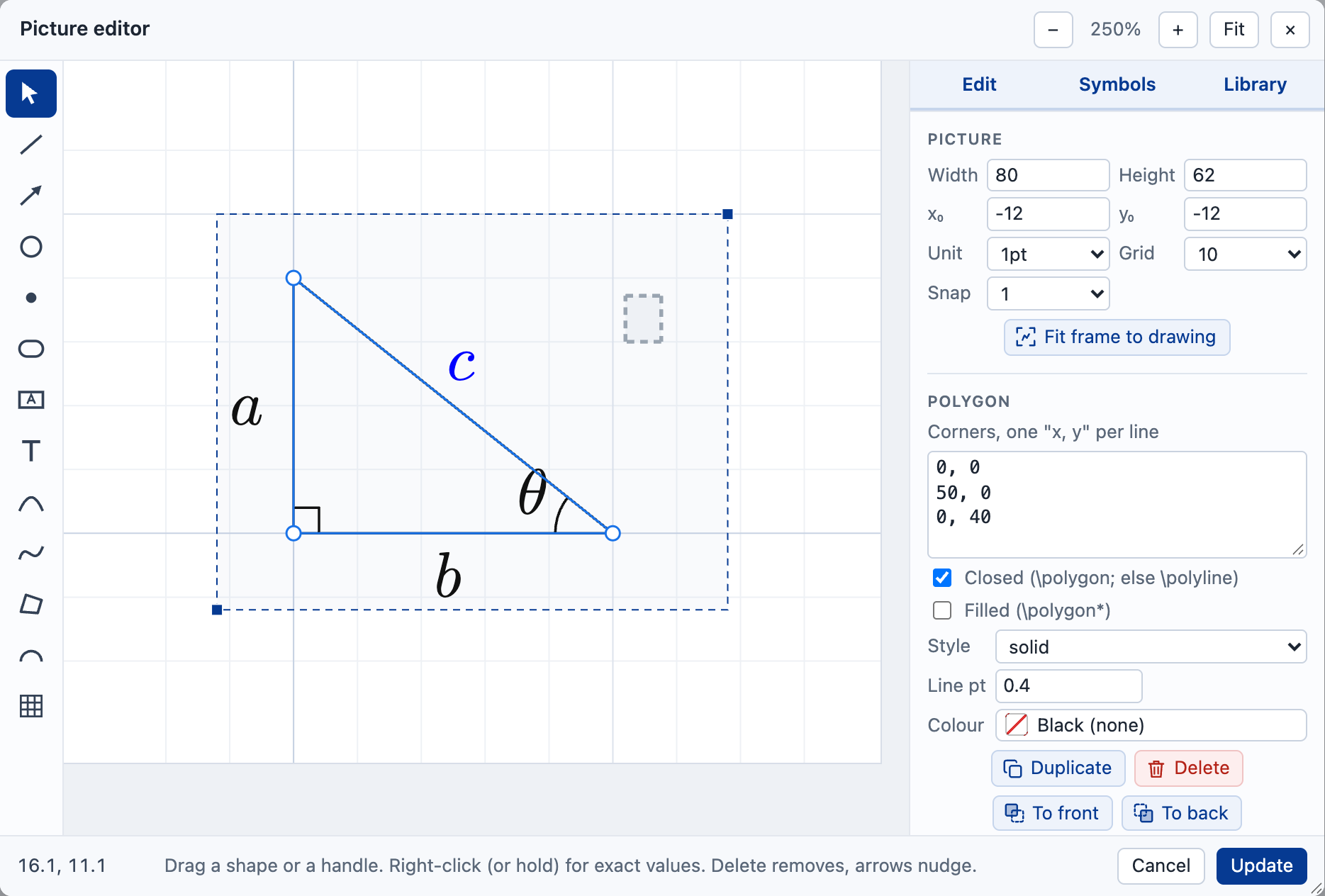
- Lines and arrows
- Circles and curves
- Labels
- 100+ symbols
- SVG
- fxpicture.sty
Pictures to start from
Each is drawn here by the same fxTeX the editor uses. Edit this picture opens it in the editor, where the picture panel’s first button opens the Picture editor to change it.
One drawing, wherever it is going
Into your LaTeX document
Everything the editor draws is standard LaTeX — the picture environment and pict2e — with two small additions from fxpicture.sty. Add it to your preamble and the same picture compiles in pdfLaTeX, LuaLaTeX or XeLaTeX, on Overleaf or your own machine.
Onto a web page
fxTeX Pro draws each picture as SVG, inside the equation, in the reader’s browser — so the page keeps the LaTeX, and the labels are live maths rather than part of an image.
Into a worksheet
Leave a label empty and it becomes a box to fill in: the length of a side, the size of an angle. Or download the picture as an SVG or PNG for slides and handouts.
Questions
How do I draw a diagram in LaTeX online?
Open the editor and press the first button of the picture panel. Draw with the tools down the side — line, arrow, circle, oval, box, text, curves, polygon, arc and grid — and Insert puts the picture into your equation as LaTeX.
Can I change a picture later?
Yes. Click a picture’s lines in the equation, or double-click it, and it opens in the Picture editor again. The LaTeX is shown beside the drawing, and changing either changes the other.
Will it compile in my own LaTeX?
Yes, with \usepackage{fxpicture} in your preamble: it loads pict2e and graphicx,
and adds dashed and dotted lines and symbols. Download
fxpicture.zip.
Is it free?
Yes, for non-commercial use: study, teaching, research, or a personal site. Pictures made as part of work you sell — a book, a course, a product — need a licence. How licensing works.
Try it on the real thing
The full editor is on the home page, with suggestions as you type, history and every export format. It is free for non-commercial use — study, teaching, research or a personal site. Building it into something you sell needs a commercial licence.
More ways to use it
- Online equation editorWrite maths visually or in LaTeX, and copy it out as MathML, SVG or PNG.
- Maths equationsThe common formulae ready to edit, and a maths question to try each day.
- Chemistry equationsReactions, formulae and molecular structures, with a toolbar made for chemistry.
- Chemical structure editorDraw a molecule and get chemfig LaTeX for reports, web pages and exercises.
- LaTeX equation editorType LaTeX and edit the rendered equation directly; the two stay in step.
- MathML editorClean MathML with its spoken text, from LaTeX or from the visual editor.
- Accessible mathsEvery equation carries generated spoken text, tested with screen readers.
- Equations in WordPaste an equation into Word as a native equation you can still edit.
- CKEditor pluginAn fx button for CKEditor 5 that inserts MathML or an SVG image.
- LaTeX to SVG and PNGAn image of any equation from a single URL, with nothing to install.
- MathType alternativeHow the editor compares with MathType, gaps included.
- How we compareThe editor beside MathType, Overleaf, Mathpix and Word.